How to Add OMT to Your Live Stream and Video Production Workflow?
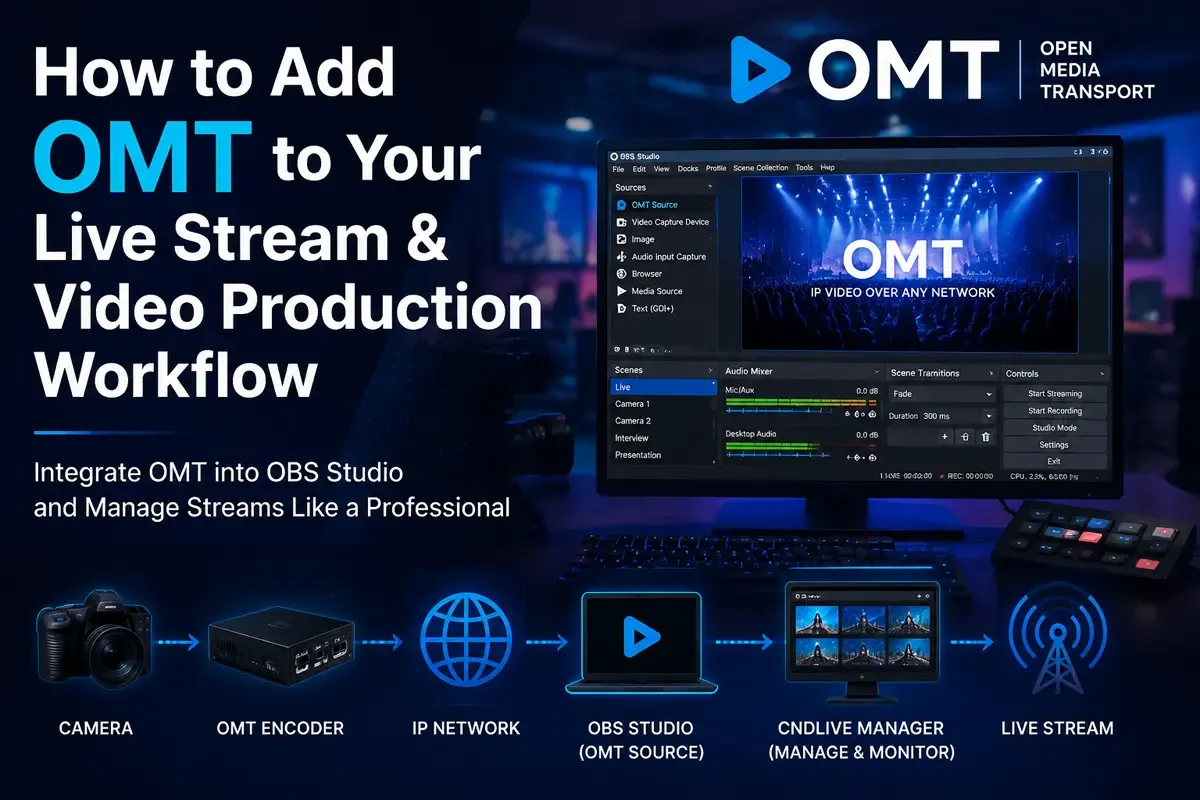

Modern video production workflows are becoming increasingly IP-based. Whether you are producing live sports broadcasts, worship streams, corporate events, online education programs, or professional studio productions, traditional SDI and HDMI connections are gradually being replaced by network-based video transport technologies.
Protocols such as NDI have already become popular among broadcasters and content creators because they allow video signals to be transmitted over standard Ethernet networks. However, as live production requirements continue to evolve, new open standards are emerging to provide more flexibility, interoperability, and scalability.
Open Media Transport (OMT) is one of these emerging technologies.
OMT is an open-source IP video transport protocol designed for professional video workflows. It enables low-latency transmission of high-quality video streams over IP networks and provides another option for broadcasters who want to build flexible network-based production systems.
For users who already work with OBS Studio, adding OMT into an existing workflow is relatively simple. With the OMT plugin, OBS users can send and receive OMT streams directly inside their production environment.
In this article, we will explain:
- What OMT is and why it matters
- How to add OMT to OBS Studio
- How to manage multiple OMT streams efficiently
- The advantages and limitations of OMT
- OMT vs NDI: Which protocol is better for live production?
What Is OMT (Open Media Transport)?
OMT, short for Open Media Transport, is an open-source media transport protocol designed for real-time video transmission over IP networks.
Unlike traditional video connections that require dedicated cables and hardware infrastructure, IP-based workflows allow video signals to travel through standard network equipment.
This provides several benefits:
- Easier system expansion
- Longer transmission distances
- More flexible routing
- Lower infrastructure costs
- Better integration between software and hardware solutions
OMT focuses on professional video production scenarios where reliability, low latency, and interoperability are important.
Typical applications include:
- Live event production
- Remote broadcasting
- Sports streaming
- Studio production
- Multi-camera workflows
- Cloud-based video production
Because OMT is open-source, developers and manufacturers can integrate it into different applications without depending on a proprietary ecosystem.
Why Add OMT to Your Live Streaming Workflow?
Many creators and production teams already use OBS Studio as their central production platform.
OBS is popular because it provides:
- Multiple video source management
- Scene switching
- Audio mixing
- Streaming to platforms such as YouTube, Twitch, and Facebook
- Support for third-party plugins
However, OBS alone does not solve every professional production requirement.
For example, a production team may need to:
- Receive remote camera feeds
- Connect multiple video sources across a network
- Transport video between different production locations
- Integrate professional broadcast equipment
This is where OMT can become useful.
By adding OMT support to OBS, users can extend OBS from a local production tool into a network-based video production platform.
A typical workflow could look like this:
Camera / Encoder → OMT Network Stream → OBS Studio → Streaming Platform
or:
Multiple Remote Sources → OMT → OBS → Live Production Output
This allows production teams to build more scalable workflows without relying only on direct HDMI capture connections.
How to Add OMT to OBS Studio?
Adding OMT support to OBS requires installing the OMT plugin.
The official OMT plugin is available on GitHub:
https://github.com/openmediatransport/omtplugin
Before installation, make sure you have:
- The latest OBS Studio version installed
- A compatible operating system
- Network connectivity between your OMT devices and OBS computer
Step 1: Download the OMT Plugin
First, visit the OMT plugin repository and download the appropriate release package.
After downloading:
- Extract the plugin files
- Copy them into your OBS installation directory
- Restart OBS Studio
After successful installation, OBS will recognize OMT as an available media source.
Step 2: Add OMT Source in OBS
Once the plugin is installed:
- Open OBS Studio
- Select the scene where you want to add the video source
- Click Add Source (+)
- Select OMT Source
- Configure the OMT stream settings
Depending on your workflow, you may need to configure:
- Stream name
- Network address
- Video format
- Connection parameters
After configuration, OBS can receive the OMT video stream directly as a production source.
This means the OMT stream can be treated similarly to other OBS sources, including:
- Camera input
- Capture cards
- Browser sources
- Media files
You can then combine it with overlays, graphics, audio sources, and other production elements.
Building a Professional OMT Workflow with CNDLive Manager
For small projects, managing one or two OMT streams manually may be enough.
However, professional productions often involve many video sources:
- Multiple cameras
- Different locations
- Backup streams
- Multiple output destinations
In these situations, a centralized management system becomes important.
The CNDLive Manager software provides a solution for managing IP-based video workflows.
With CNDLive Manager, production teams can:
- Discover connected video devices
- Monitor incoming streams
- Manage multiple video sources
- Configure transmission settings
- Simplify large-scale video operations
You can learn more about CNDLive Manager here:
https://www.cndlive.com/products/cndlive-manager-software
A typical professional workflow could be:
Cameras / Encoders → OMT Streams → CNDLive Manager → OBS Production System → Streaming Platforms
Instead of manually checking every device individually, operators can manage the entire video network from one interface.
This is especially useful for:
- Broadcast studios
- Sports venues
- Large events
- Enterprise video production teams
Integrating CNDLive A1 into an OMT-Based Video Production Workflow
While software-based solutions such as OBS Studio provide powerful tools for live production, many professional workflows still rely on dedicated hardware devices to connect cameras, HDMI sources, and IP-based production systems.
The CNDLive A1 Bi-Directional Converter provides a flexible bridge between traditional video equipment and modern network-based workflows.
Instead of connecting every camera or HDMI source directly to a production computer, operators can use the A1 to convert video signals into IP-based streams and integrate them into a larger production environment.
[[How-to-Add-OMT-to-Your-Live-Stream-and-Video-Production-Workflow/images/e8706607f9aba80aded541b135e68f0b_MD5.webp|Open: cover.BSzN9c74_Ca0yu.webp]] ![[How-to-Add-OMT-to-Your-Live-Stream-and-Video-Production-Workflow/images/e8706607f9aba80aded541b135e68f0b_MD5.webp]]
A typical workflow can be structured as:
HDMI Camera / Video Source → CNDLive A1 → IP Video Network → OBS Studio → Streaming Platform
or:
Multiple Video Sources → CNDLive A1 → CNDLive Manager → OBS / Production System → Live Broadcast
The A1 is designed as a bidirectional video converter, allowing professional teams to work with both physical HDMI devices and network-based video workflows. It supports HDMI input/output connections and can operate as part of an IP video production ecosystem.
For production teams adopting OMT-based workflows, hardware gateways like the A1 can simplify system integration by allowing existing cameras, monitors, and HDMI equipment to participate in a flexible network production environment.
This approach is especially useful for applications such as:
- Live events
- Sports production
- Worship streaming
- Corporate broadcasts
- Remote video production
- Multi-camera streaming systems
By combining CNDLive A1 hardware with OBS Studio and CNDLive Manager, users can create a complete workflow that connects on-site video sources, network transmission, centralized management, and final streaming output.
OMT vs NDI: What Is the Difference?
When discussing IP video transport, many users naturally compare OMT with NDI.
NDI has become one of the most widely adopted IP video standards, especially among content creators, broadcasters, and live production teams.
Both technologies allow video transmission over IP networks, but they have different characteristics.
FeatureOMTNDIProtocol typeOpen-source transport protocolProprietary IP video standardDevelopment modelOpen ecosystemDeveloped by VizrtIntegrationGrowing ecosystemVery mature ecosystemLatencyDesigned for real-time workflowsLow latencyVideo production supportProfessional workflowsBroad creator and broadcast adoptionHardware supportDevelopingExtensive
OMT Advantages
1. Open Development Approach
One of the biggest advantages of OMT is that it is designed as an open technology.
Manufacturers and developers can integrate OMT without relying on a single commercial ecosystem.
This can encourage:
- More hardware compatibility
- More software integrations
- Greater flexibility
2. Flexible IP Workflow Design
OMT fits naturally into modern IP-based production environments.
Instead of connecting every device physically, video sources can be distributed through existing network infrastructure.
This makes it easier to:
- Expand production systems
- Add remote sources
- Build distributed workflows
3. Suitable for Professional Applications
OMT is designed with professional video transport requirements in mind.
It can support workflows where:
- Low latency matters
- Multiple streams are required
- Network flexibility is important
Limitations of OMT
Although OMT provides exciting possibilities, users should also understand its current limitations.
1. Smaller Ecosystem Compared with NDI
NDI has been available for many years and has accumulated extensive support from:
- Software vendors
- Camera manufacturers
- Hardware providers
- Streaming tools
OMT is newer, so its ecosystem is still growing.
Before adopting OMT, check whether your existing equipment and software support it.
2. Requires More Technical Knowledge
Compared with consumer-oriented solutions, professional IP video workflows usually require more understanding of:
- Network configuration
- Bandwidth requirements
- IP addressing
- Video encoding parameters
For beginners, setting up an OMT workflow may require additional learning.
3. Network Performance Is Critical
Like all IP video transport technologies, OMT performance depends heavily on network conditions.
A stable workflow requires:
- Sufficient bandwidth
- Low network latency
- Proper network configuration
- Reliable Ethernet equipment
For professional productions, using dedicated production networks is recommended.
Frequently Asked Questions About Adding OMT to OBS
Can OBS receive OMT streams?
Yes. By installing the OMT plugin, OBS Studio can add OMT streams as a video source.
After installation, users can select OMT Source from the OBS source menu.
Is OMT better than NDI?
Not necessarily.
OMT and NDI are designed for similar goals but follow different approaches.
NDI currently has a larger ecosystem and wider adoption.
OMT provides an open approach that may be attractive for organizations looking for flexible and interoperable IP video workflows.
The best choice depends on:
- Existing equipment
- Required compatibility
- Production scale
- Workflow requirements
Can OMT be used for live streaming?
Yes.
OMT can be part of a complete live streaming workflow.
For example:
Camera → OMT Encoder → OBS → YouTube Live
or:
Multiple OMT Sources → Production Software → Streaming Platform
Does OMT replace HDMI or SDI?
OMT does not directly replace HDMI or SDI in every situation.
Instead, it provides another way to transport video signals over IP networks.
Many professional workflows combine:
- SDI/HDMI for local connections
- IP protocols such as OMT for network transmission
Conclusion: Start Building an IP-Based Video Workflow with OMT
As video production continues moving toward IP-based infrastructure, open transport technologies like OMT provide new possibilities for broadcasters, creators, and production teams.
By adding the OMT plugin to OBS Studio, users can easily integrate network-based video sources into their existing workflows.
For larger productions, combining OMT with centralized management software such as CNDLive Manager can create a more efficient and scalable production environment.
Whether you are producing live events, remote broadcasts, or professional streaming content, understanding IP video transport technologies will help you build more flexible workflows for the future.